Client Tools
info
Learn how to define tools that let the agent operate client-side capabilities.
Client tools route model-initiated tool calls to the frontend UI for execution and return results back to the model to continue reasoning. Use them for reading frontend state, handling user interaction, or leveraging browser capabilities.
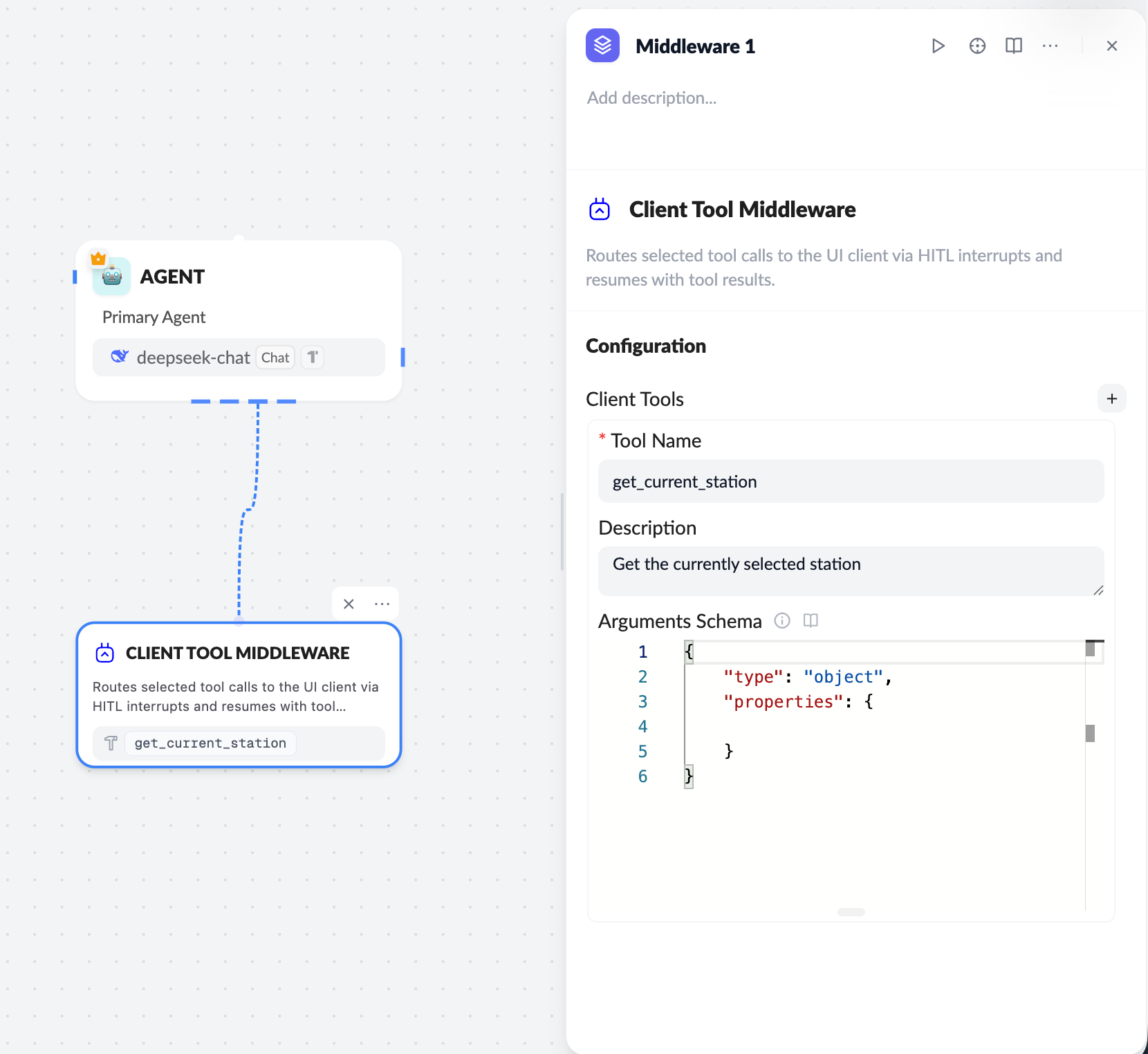
Workflow
- Configure the Client Tool on the server
- Use the Client Tool middleware in the workflow
- Define
Tool Name / Description / Arguments Schema
- Model triggers a tool call
- The LLM calls the specified Client Tool based on context
- Frontend receives and executes
- ChatKit sends the call to the frontend via
onClientTool - The frontend runs the real logic (UI or local state)
- Return the result
- The frontend returns the tool result
- ChatKit passes the result back to the model to continue generation
Server configuration essentials
Tool Name
- Unique identifier, for example
get_current_station - Must exactly match the
namein frontend code
Arguments Schema
The schema must follow the JSON Schema spec:
{
  "type": "object",
  "properties": {}
}
Frontend (React) integration
Register onClientTool in useChatKit:
const handleClientTool = async ({ name, tool_call_id, id }) => {
  if (name === 'get_current_station') {
    return {
      tool_call_id: tool_call_id || id,
      name,
      status: 'success',
      content: JSON.stringify({ /* tool result */ }),
    };
  }
};
useChatKit({
  ...
  onClientTool: handleClientTool,
});
Return payload format
tool_call_id: requiredstatus:successorerrorcontent: string (JSON recommended)
{
  "nodes": [...],
}
Best practices
- Keep tool names identical between server and frontend
- Use
useRefto read the latest UI state and avoid stale closures - Keep
contentconcise; avoid large payloads - For failures, return
status: "error"
Client tools let ChatKit safely and controllably integrate with frontend state and user interactions—a key capability for HITL (Human-in-the-loop) and UI-aware agents.